File Formats & MIME Types
The app supports CSV, XML, and XLSX files. For CSV, you can specify delimiters manually or use automatic delimiter detection.
CSV is the most common format for profile-based imports and exports.
- You can define separators manually.
- You can enable auto-detection for delimiters.
- Make sure the columns match the fields you plan to map.
For XML import, the file structure should be organized as follows:
<list> <item> ... </item> <item> ... </item></list>Column names, attributes, or properties should be stored inside each item node.

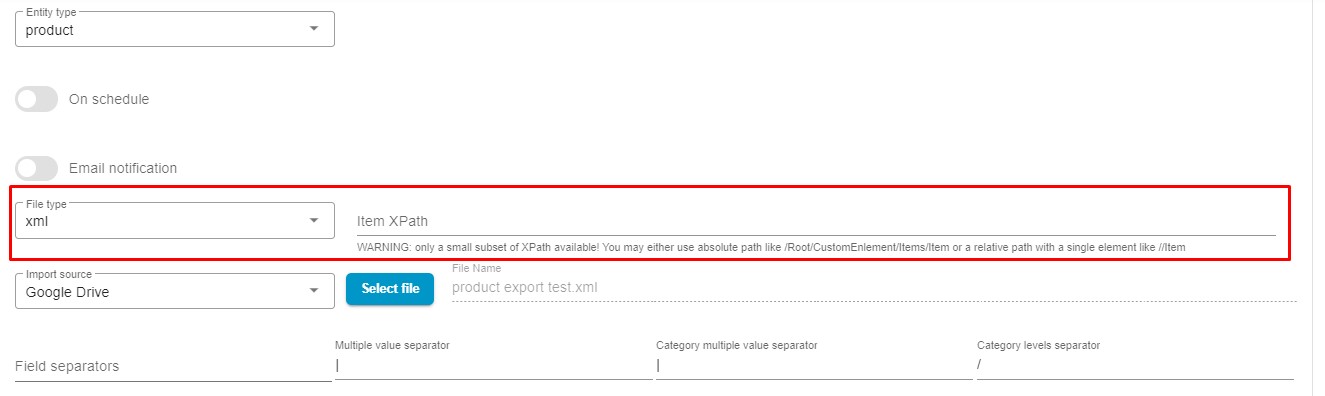
The app also supports an XPath input field for specifying the exact data path inside XML files. This helps when the file contains multiple nested structures and you only want to import one part of it.
XLSX is useful when data is maintained in spreadsheet form and must preserve worksheet-style structure before import or export.
MIME Type Validation
Section titled “MIME Type Validation”When importing from a URL, the file type must match the selected format. If the URL points to an unsupported MIME type, the application will reject the file.
This prevents cases such as:
- trying to import an image URL as CSV
- downloading a file that does not match the selected import type
Supported MIME types:
"csv" => [ "text/html", "text/csv", "text/comma-separated-values", "text/x-comma-separated-values", "text/tab-separated-values", "application/x-csv", "application/csv", "text/plain", "application/octet-stream"],"xml" => [ "text/html", "application/xml", "text/xml"],"xlsx" => [ "application/vnd.ms-excel", "application/vnd.openxmlformats-officedocument.spreadsheetml.sheet"]If you import an unsupported file, the app displays this error:
Failed! Bad url. mime/type mismatch or max size exceeds